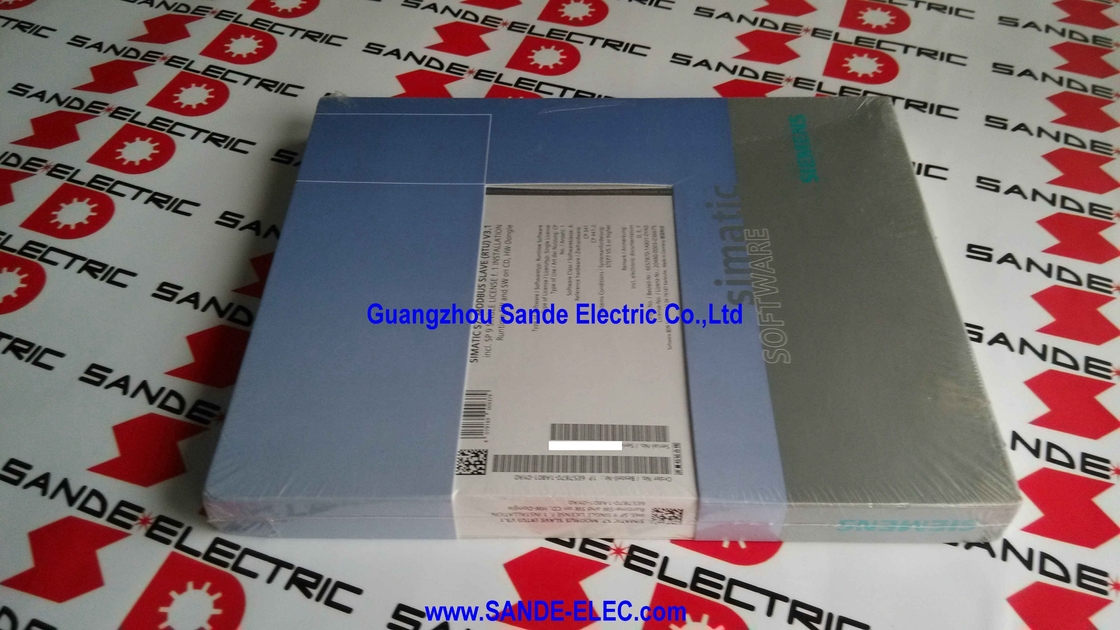
Siemens 6ES7870-1AB01-0YA0 | SIMATIC S7 MODBUS Slave V3.1 — Single Licence / CP 341 + CP 441-2 / RTU / STEP 7 V4.02+ / HW Dongle
Making a SIMATIC S7 into a MODBUS Slave
The 6ES7870-1AB01-0YA0 is the loadable driver software that enables a SIMATIC S7-300 or S7-400 PLC to communicate as a MODBUS slave device over the point-to-point communication modules CP 341 or CP 441-2. Without this driver, the CP 341 and CP 441-2 communicate using Siemens' native 3964(R) or RK512 protocols, or serve as simple ASCII channel. With the MODBUS Slave V3.1 driver loaded, the CP becomes a MODBUS RTU slave device — it responds to MODBUS commands from a master device and maps MODBUS register addresses to S7 data areas.
The application is straightforward: when a Siemens S7 system needs to interface with a SCADA system, distributed control system, energy management system, or any other device that communicates on the MODBUS master side, this driver makes the connection possible without external protocol converters. The S7 PLC becomes a MODBUS slave that the external master reads from and writes to using standard MODBUS function codes — the driver handles the protocol framing, address conversion, and CRC in the CP module's firmware, leaving the S7 CPU to focus on its own programme.
The package ships as a ready-to-install software set: the driver files on CD (for installation into STEP 7), complete documentation, and a hardware dongle that provides licence enforcement for the single-installation licence.
Key Specifications
| Parameter |
Value |
| Part Number |
6ES7870-1AB01-0YA0 |
| Software |
MODBUS Slave V3.1 |
| Target Hardware |
CP 341 / CP 441-2 |
| Platform |
SIMATIC S7-300 / S7-400 |
| Protocol |
MODBUS RTU (S7 = Slave) |
| Slave Address |
1–255 |
| Baud Rate |
300 to 76,800 bit/s |
| Licence Type |
Single (1 installation) |
| Delivery |
CD + HW dongle |
| STEP 7 |
V4.02 or higher |
| Languages |
DE / FR / EN |
MODBUS Slave vs MODBUS Master — Which to Order
The MODBUS Slave driver (6ES7870-1AB01-0YA0) configures the S7 to respond to MODBUS commands from an external master device. If the S7 needs to initiate MODBUS requests to read data from another slave device (e.g., a drive, power meter, or remote I/O), the MODBUS Master version (6ES7870-1AA01-0YA0) is the correct selection. Confirm the S7's role in the MODBUS network — master or slave — before ordering.
FAQ
Q1: What is the hardware dongle for, and what happens if it is lost?
The hardware dongle (HW dongle) is the licence key — the physical USB or serial device that proves the software licence is present. The driver software checks for the dongle at runtime; if the dongle is absent, the driver does not function. If the dongle is lost, the licence is lost — there is no software-only backup. Siemens does not provide replacement dongles for lost originals. Keep the dongle secured and register the licence with Siemens' licence management system as a backup record.
Q2: Which CP module revisions and firmware versions are compatible with MODBUS Slave V3.1?
MODBUS Slave V3.1 runs on CP 341 and CP 441-2 point-to-point communication modules in S7-300 and S7-400 systems respectively. The driver requires STEP 7 V4.02 or higher for installation. Confirm the CP module firmware version from its order documentation or the STEP 7 Hardware Configuration tool — earlier CP 341 firmware revisions may need updating before loading the V3.1 driver.
Q3: What MODBUS function codes does the Slave V3.1 driver support?
The MODBUS Slave V3.1 driver supports the standard MODBUS RTU function codes for reading and writing coils and registers — FC01 (read coils), FC02 (read discrete inputs), FC03 (read holding registers), FC04 (read input registers), FC05 (write single coil), FC06 (write single register), FC15 (write multiple coils), and FC16 (write multiple registers). The driver maps these accesses to S7 memory areas defined during configuration.
Q4: How are MODBUS register addresses mapped to S7 memory areas?
The MODBUS Slave V3.1 driver provides a configurable address mapping table — MODBUS coil and register addresses are assigned to specific S7 data block (DB) areas, memory areas (M), inputs (I), or outputs (Q) as defined during configuration in STEP 7. The external MODBUS master reads and writes these S7 memory locations via the MODBUS address map without any knowledge of the S7's internal memory organisation.


 Your message must be between 20-3,000 characters!