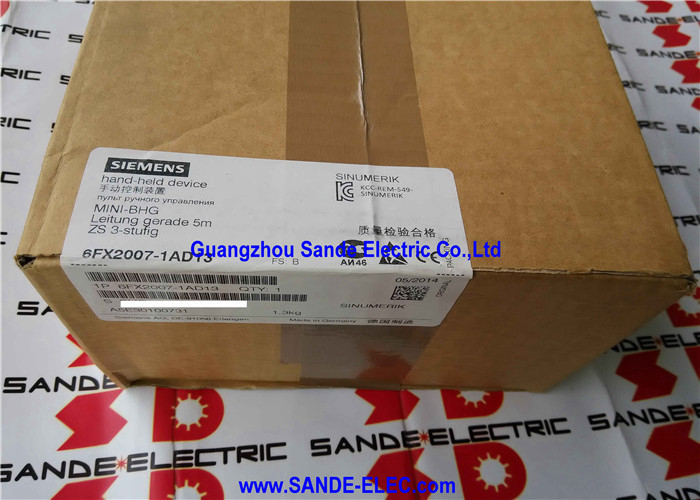
Siemens 6FX2007-1AD13 | SINUMERIK Mini Handheld Unit — 5m Straight Cable / 2-Channel E-Stop / 3-Step Enabling / Handwheel
Manual Axis Control at the Workpiece
The SINUMERIK Mini Handheld Unit puts axis traversal control and emergency stop capability at the operator's location during setup, tool change, workpiece loading, and dry-run verification. When the operator needs to be at the cutting zone — checking clearances, guiding a tool to its reference position, or traversing axes while watching the work area directly — the MHU provides complete control from arm's length, with the safety functions necessary for operating close to the machine without the guarding enclosure closed.
Why the straight cable variant: The -1AD13's 5m straight cable is for operators who carry the unit around the machine perimeter. Straight cables do not exhibit the spring-back tension of coiled cables, making them easier to manage on larger machines where the operator walks several metres between the panel and the working area. The -1AD03 with 3.5m coiled cable suits operators who mostly use the unit close to a fixed station and want the cable to retract tidily when not in use.
Key Specifications
| Parameter |
Value |
| Cable |
Straight, 5 m |
| E-Stop |
2-channel, 4-wire |
| Enabling |
2-channel, 3-step |
| Axis Selection |
Up to 5 axes |
| Function Keys |
3 × assignable |
| IP Rating |
IP65 |
| Supply |
24V DC |
| Weight |
0.5 kg |
Two-Channel E-Stop and Three-Step Enabling — How the Safety Functions Work
Two-channel E-stop (4-wire): The E-stop button has two independent normally-closed contacts, each wired in its own circuit to the CNC's safety relay monitoring. Both channels open simultaneously when pressed. The monitoring continuously checks that both channels are consistent — a wiring fault or stuck contact that opens one channel without the other is detected and prevents machine operation until cleared. This dual-channel architecture meets EN ISO 13849 Performance Level d and EN 62061 SIL 2.
Three-step enabling button (2-channel):
- Position 1 (released): Circuit open — axis motion inhibited
- Position 2 (mid-hold): Circuit closed — motion permitted
- Position 3 (panic/full press): Circuit open — motion inhibited
The operator must consciously maintain the mid-hold position to keep motion active. A frightened operator tightening their grip triggers position 3 — motion stops. A dropped unit loses position 2 — motion stops. The enabling button is the safety control that allows axis traversal in close proximity to the machine during setup without closed guarding.
Magnetic handwheel latch: The detent holds the handwheel stationary when not in deliberate use, preventing accidental rotation from a jarred or dropped unit from sending unintended axis commands.
Connector Ports
| Port |
Function |
| X51 |
Handwheel incremental pulse output → CNC JOG handwheel mode |
| X52 |
Axis selection rotary switch + feed override selection |
| X55 |
Enabling button safety circuit → CNC axis motion permit |
| X60 |
E-stop circuit → CNC emergency stop chain |
Separate ports for each safety function allow the CNC to maintain independent monitoring of each circuit. The metal connector provides mechanical robustness for repeated connection and disconnection.
FAQ
Q1: What is the difference between 6FX2007-1AD13 and 6FX2007-1AD03?
Identical in all functions, safety features, connector ports, and dimensions. The only difference is the cable: -1AD13 has a 5m straight cable; -1AD03 has a 3.5m coiled cable. Select straight for walking around the machine perimeter; select coiled for fixed-station use where the cable should retract when slack.
Q2: What happens if the operator panic-presses the enabling button to position 3?
Both enabling switch contacts open — the same open-circuit state as the released position. The CNC's enabling input monitoring stops any active axis traversal. The operator must consciously return to the mid-hold position 2 to resume motion. This is the intended safety behaviour: a startled operator gripping tightly causes a stop, not continued motion.
Q3: How are the three user-assignable function keys configured?
The function keys connect to the MHU's signal interface as digital inputs to the SINUMERIK controller. Their assignment to CNC functions (spindle start/stop, coolant on/off, user PLC functions) is configured in the machine's PLC program and/or SINUMERIK machine data. Slide-in label strips allow inscription of custom key functions to match the programmed assignments.
Q4: Is the 6FX2007-1AD13 compatible with all SINUMERIK generations?
It requires SINUMERIK systems that provide the X51/X52/X55/X60 interface ports — covering SINUMERIK 840D sl, 828D, and 802D sl. Confirm the machine's NCU or PPU provides these connector ports and that the PLC program includes the handheld unit interface configuration. Older SINUMERIK generations with different handheld interface specifications may require a different MHU variant or adapter.
Q5: Can the MHU be cleaned with water jets given its IP65 rating?
IP65 covers low-pressure water jets from any direction — normal washdown and incidental spray. It does not cover high-pressure jet washing. For chemical cleaning agents (cutting fluids, degreasers, coolant additives), these are generally compatible with the housing material. Concentrated solvents and aggressive chemical cleaners may cause surface degradation over time — verify against Siemens' material data for the housing before routine chemical exposure.



 Your message must be between 20-3,000 characters!