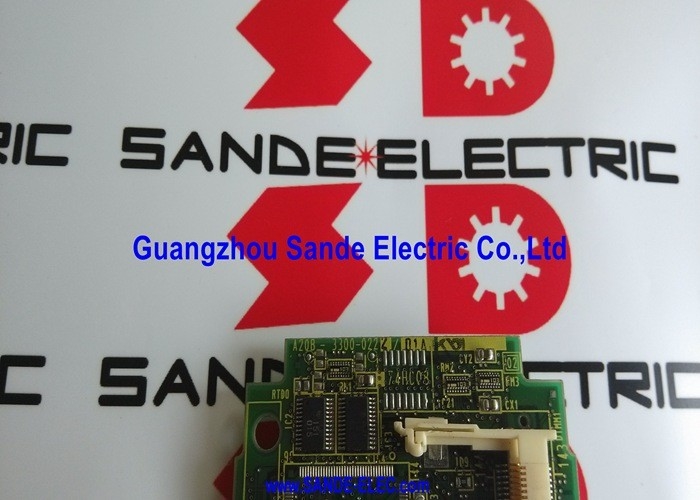
A20B-3300-0222 | FANUC Windows CE Module A3 — Embedded PC Function / HMI / Data Management / Custom Software / Plug-In Module
Windows CE on the CNC — What It Enables
Standard FANUC CNC operation is real-time and deterministic — the CNC executes G-code, closes servo loops, and controls machine sequences through a dedicated real-time operating environment. This real-time environment is optimised for precision and speed, not for general-purpose computing tasks.
The A20B-3300-0222 Windows CE module runs a second, separate environment on the same CNC hardware: Microsoft Windows CE. This embedded PC environment coexists with the CNC's real-time functions and enables a category of capabilities that the standard CNC environment does not support:
Custom HMI applications: Machine builders and end users can develop Windows CE applications that run on the CNC's operator display — custom setup screens, production tracking dashboards, part library browsers, or machine-specific operator guidance interfaces.
File management: Windows CE provides familiar file management functionality. Operators can copy programmes from USB drives to the CNC's programme storage, manage files across network shares, and access programme libraries stored on plant servers — using the standard Windows CE file browser rather than the CNC's programme manager alone.
Third-party software execution: Windows CE applications developed by software vendors — SPC data collection tools, tool management software, ERP integration clients — can run directly on the CNC without a separate PC.
Remote access and monitoring: Windows CE's networking capabilities allow the CNC to be accessed by remote monitoring applications over the plant Ethernet network.
Key Product Information
| Parameter |
Value |
| Part Number |
A20B-3300-0222 |
| Module Type |
Windows CE PC Function Module |
| Board Type |
A3 |
| Series |
A20B-3300 |
| Installation |
Plug-in module (main CPU board) |
A3 Board Type — The Variant Identifier
The A3 designation identifies the specific hardware variant of the Windows CE module within the A20B-3300-022x family. Different A3 variants match specific FANUC CNC main board generations and their connector configurations. The A3 designation confirms both the module's connector interface and its Windows CE version and hardware specification.
When replacing the A20B-3300-0222, the A3 type must be maintained. A different type suffix (A2, A4, etc.) may indicate a different Windows CE version, different processor hardware, or different connector layout — any of which could be incompatible with the installed main board.
Application Scenarios
Custom HMI deployment: A machine tool builder implements a custom Windows CE application for a production machine — a setup screen that guides operators through workpiece loading and offsets without navigating the standard CNC menu. The A20B-3300-0222 provides the Windows CE environment where this custom application runs.
Windows CE module replacement: A CNC system develops software errors specific to the Windows CE environment — crashes of custom applications, Windows CE boot failures, or display corruption in the PC function screen. The real-time CNC continues operating normally. The A20B-3300-0222 is identified as the failed module and replaced to restore the Windows CE function.
FAQ
Q1: If the A20B-3300-0222 fails, does the CNC's machining capability also fail?
No. The Windows CE module provides the PC function layer only — the real-time CNC, servo control, spindle control, and PMC all operate independently through the CNC's main hardware. A failed Windows CE module means custom HMI applications, Windows CE file management, and any Windows CE-based software will not operate, but the CNC's core machining functions continue. The machine can still run programmes and produce parts; only the Windows CE-based features are unavailable.
Q2: Can custom software developed for the A20B-3300-0222 be transferred to a replacement module?
Custom Windows CE applications are typically stored in the module's flash memory or in an accessible file area on the CNC's storage. Before replacing the A20B-3300-0222, confirm where the custom application files are stored and back them up to external media. After fitting the replacement module, restore the application files to their original location. The Windows CE environment on the replacement module should load and run the restored application.
Q3: What is the relationship between the A20B-3300-0222 and the CNC's built-in PC function?
The A20B-3300-0222 is the hardware that provides the built-in PC function on FANUC CNC systems that support it. Without this module, the CNC's PC function option is unavailable — the "PC" button or screen on the operator interface does not function. With the module installed, the PC function activates and the Windows CE environment is accessible alongside the CNC screens.
Q4: Does the A20B-3300-0222 store CNC parameters or programmes?
No. CNC parameters reside in the SRAM modules; programmes are stored in FROM or SRAM as applicable. The A20B-3300-0222 stores Windows CE system software, the Windows CE configuration, and any installed Windows CE applications — none of which are CNC machining parameters or part programmes. Replacing the module does not affect CNC parameter or programme storage.
Q5: Is the A20B-3300-0222 compatible with all FANUC i-series CNC models?
The A20B-3300-0222 A3 module is matched to specific main board hardware within the FANUC CNC family. Compatibility depends on the main board's module slot specification. Confirm from the CNC's hardware documentation or the installed main board's spare parts list that the A3 type is the correct Windows CE module for the specific CNC model before ordering.



 Your message must be between 20-3,000 characters!