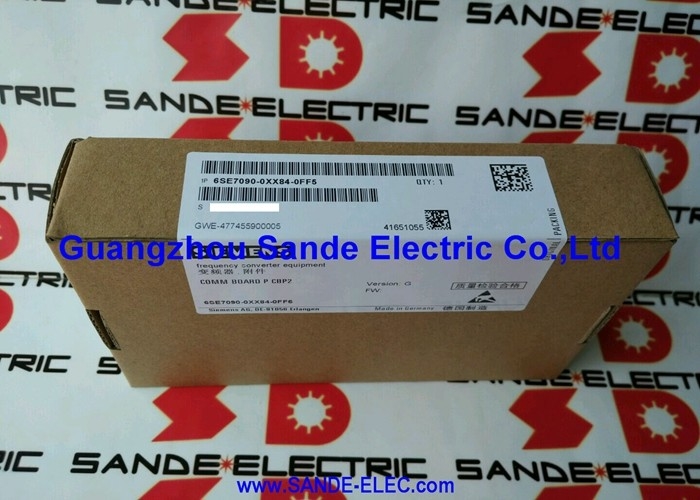
Siemens 6SE7090-0XX84-0FF0 | SIMOVERT MASTERDRIVES Motion Control CBP — PROFIBUS Communication Board, RS-485, Plug-In Option Slot, Legacy Drive Network Integration Spare
Overview
The Siemens 6SE7090-0XX84-0FF0 is the CBP — the original PROFIBUS Communication Board for the SIMOVERT MASTERDRIVES Motion Control drive family.
In the context of the MASTERDRIVES system, the drive's base unit handles the power electronics: rectifying the supply, generating the PWM output for the motor, and executing the vector or V/f control algorithm.
The base unit communicates locally through its own terminal strip (analogue speed reference, digital control signals) and via its built-in serial USS protocol on RS-232/RS-485. What the base unit does not have — without an option board — is PROFIBUS DP slave capability.
Installing the CBP board in the drive's electronics option slot is what connects the MASTERDRIVES drive to a PROFIBUS network. The PLC master (S7-300, S7-400, or any PROFIBUS DP master) sees the drive as a PROFIBUS slave.
Control words and setpoints written by the PLC master are received by the drive and applied to the motor control algorithm in the same scan cycle. Actual values — speed feedback, current, torque, fault codes — are transmitted back to the PLC master automatically.
The drive becomes a fully integrated PROFIBUS node, its speed and torque controlled with the same determinism as any other PROFIBUS-connected field device.
The CBP is the first-generation board; the CBP2 (6SE7090-0XX84-0FF5) is its successor with enhanced PROFIBUS features and extended parameter access.
For the MASTERDRIVES installations already running with CBP boards, the 6SE7090-0XX84-0FF0 is the correct like-for-like replacement when a CBP fails.
Key Specifications
| Parameter |
Value |
| Designation |
CBP (Communication Board PROFIBUS) |
| Interface |
RS-485 (PROFIBUS DP) |
| Mounting |
Plug-in option slot |
| Weight |
~0.2 kg |
| Series |
SIMOVERT MASTERDRIVES MC |
| Successor |
6SE7090-0XX84-0FF5 (CBP2) |
| Status |
Discontinued spare |
| Discontinued |
19.02.2000 |
SIMOVERT MASTERDRIVES — The Drive Platform
The SIMOVERT MASTERDRIVES was Siemens's flagship multi-purpose drive platform of the 1990s and 2000s, designed to cover a wide power range from a few kilowatts to several megawatts in a consistent architecture.
The platform was offered in two primary variants: Vector Control (VC) for standard variable-speed applications and Motion Control (MC) for higher-precision servo-like positioning and coordinated multi-drive applications.
Both variants used the same modular option board architecture, with the CBP being a common option across both.
The MASTERDRIVES system distinguished itself by the depth of its option board ecosystem: encoder feedback boards (SBR1, SBR2 for resolvers and TTL encoders), technology boards (T400 for cam control and synchronisation), communication boards (CBP, CBP2 for PROFIBUS; CBD for DeviceNet; SLB for SIMOLINK fibre-optic ring), and expansion boards.
This modular approach allowed a single base drive unit to serve applications ranging from simple speed control to complex multi-axis synchronisation — the electronics configuration determined the capability.
CBP in the Drive's Option Architecture
The MASTERDRIVES drive enclosure contains a dedicated electronics board slot (the option slot, sometimes called the C-slot or technology option position) designed to accept plug-in option boards.
The CBP occupies this slot and connects to the drive's internal communication bus — a proprietary high-speed backplane that links the base drive electronics, the CBP, and any other installed option boards.
Once the CBP is installed and the PROFIBUS address is set (via DIP switches on the CBP board), the drive appears on the PROFIBUS network as a DP slave at the configured address. The drive's PROFIBUS GSD (General Station Description) file — provided by Siemens — describes the drive's data interface to the DP master's hardware configuration tool, defining the structure of the control word, setpoint, status word, and actual value data exchanged on the bus.
Standard MASTERDRIVES PROFIBUS profiles (PPO types 1 through 5) define different combinations of process data and parameter access data in the PROFIBUS message, selectable to match the PLC master's drive communication library configuration.
PPO Types — Process Data and Parameter Objects
The MASTERDRIVES CBP uses Siemens's PROFIBUS drive profile, defining five PPO (Parameter Process-data Object) types that determine the content and length of each PROFIBUS data frame exchanged with the drive:
PPO Type 1: 2 words of parameter data (PKW area for reading/writing drive parameters) + 2 words of process data (control word + setpoint) PPO Type 2: 2 words PKW + 6 words process data (for richer setpoint and actual value exchange) PPO Type 3: No PKW + 2 words process data (process data only, no parameter access) PPO Type 4: No PKW + 6 words process data PPO Type 5: 2 words PKW + 10 words process data
The PPO type is selected during the drive's hardware configuration in STEP 7 and matches the PLC's drive communication function block configuration (typically using the FB30 PERI_VAR_DRV or FB41 CONTRL_CU function blocks from the SIMOVERT MASTERDRIVES library).
The most common choice for motion control applications is PPO Type 2, which provides enough process data words to transmit speed setpoint, control word, actual speed, and actual status simultaneously in each PROFIBUS cycle.
FAQ
Q1: Can the CBP (6SE7090-0XX84-0FF0) be replaced by the CBP2 (6SE7090-0XX84-0FF5) in an existing MASTERDRIVES installation?
In most cases yes — the CBP2 fits the same option slot and supports the same PROFIBUS functionality as the CBP, with additional features (extended parameter access, improved diagnostics).
However, the CBP2 uses a different GSD file and may require the DP master's hardware configuration to be updated to the CBP2 GSD rather than the original CBP GSD.
If the DP master's hardware configuration and PLC programme are already using the CBP's PPO type setup, a test in a non-production environment is recommended before switching to CBP2 in a live machine.
Q2: How is the PROFIBUS station address set on the CBP board?
The PROFIBUS address on the CBP is set using DIP switches on the board itself, accessible after opening the drive enclosure. The DIP switches encode the binary value of the station address (1–125).
The address selected must match the drive's configured address in the PROFIBUS DP master's hardware configuration.
After changing the DIP switch setting, the drive must be powered off and back on for the new address to take effect.
Q3: What happens to the drive if the CBP board fails while the drive is in PROFIBUS control mode?
The drive loses its PROFIBUS communication and typically generates a fault F080 (PROFIBUS communication fault) or similar depending on the drive firmware version and the configured reaction to communication loss.
The configured fault response may be a controlled stop or a coast-to-rest, depending on how the drive's communication watchdog (parameter P700 series in MASTERDRIVES MC) is set. If the production process cannot tolerate an uncontrolled stop, the drive's communication watchdog reaction parameter should be configured to implement a controlled ramp-down rather than an immediate trip.
Q4: What drive parameters are accessible via the CBP's PKW parameter channel?
Via the PKW (Parameter-Kennung-Wert — Parameter Identification Value) channel embedded in PPO types 1, 2, and 5, the PLC master can read and write any of the MASTERDRIVES drive's parameters by their parameter number.
This includes setpoint scaling (P321, P322), ramp times (P340, P341), speed limits (P360, P361), and diagnostic parameters such as actual current, actual torque, and fault history.
The PKW channel processes one parameter request per PROFIBUS bus cycle — sequential requests are queued by the PLC function block.
For parameter changes needed only during commissioning, the MASTERDRIVES operator panel (OP1S) or the Drive Monitor PC tool is more practical; the PKW channel is most useful for online adaptation of drive parameters from the PLC during production.
Q5: How is the CBP board installed in the MASTERDRIVES drive enclosure, and what precautions are required?
The CBP installs in the drive's option slot with the drive powered off and the DC bus fully discharged — the MASTERDRIVES drives store substantial energy in their DC bus capacitors, and the discharge time (typically 5 minutes after power-off) must be allowed before opening the enclosure.
The CBP connects to the drive's option slot through a multi-pin connector on the board's rear edge, with a front-panel bracket securing the PROFIBUS Sub-D connector to the drive's faceplate.
After installation, the PROFIBUS address DIP switches must be set to the correct address, the PROFIBUS cable connected, and the drive powered up to verify communication with the DP master.



 Your message must be between 20-3,000 characters!