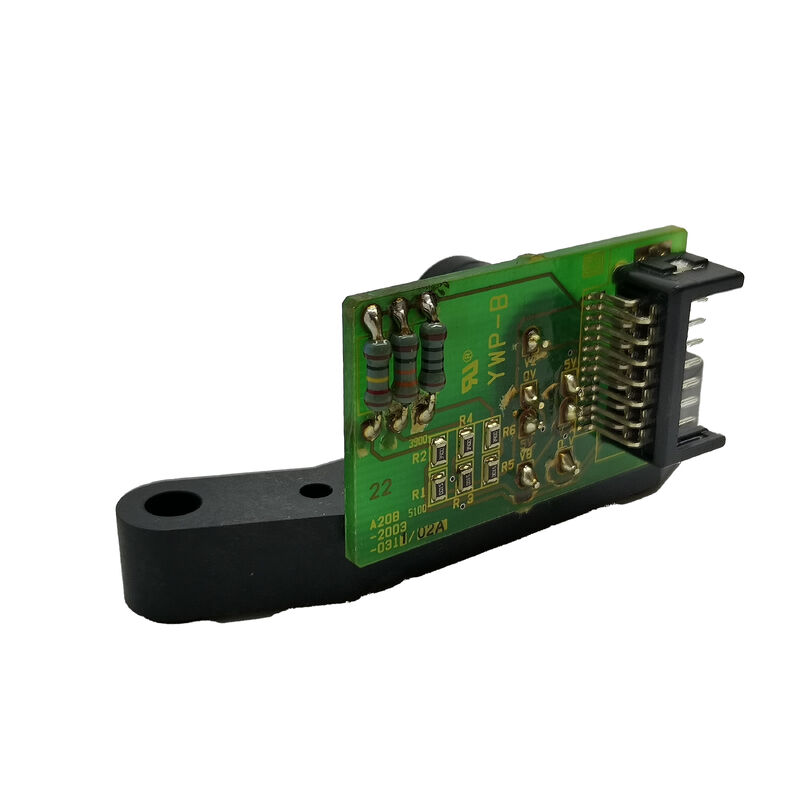
FANUC A20B-2003-0580 | 2-Slot Backplane PCB — A20B-2003 Series, CNC Controller Module Rack Interconnect, Power and Signal Distribution, Industrial Spare, Japan Origin
Overview
The FANUC A20B-2003-0580 is a 2-slot backplane PCB — the structural and electrical foundation of a compact two-module section of a FANUC CNC control rack.
In the hierarchy of CNC electronics, the backplane often receives the least attention; it has no firmware, no display, and no adjustable parameters, which means it is rarely considered until something goes wrong.
When it does fail, though — which is uncommon but happens through specific failure mechanisms — its failure is unambiguous: the modules installed in it stop working entirely.
To understand the role of the A20B-2003-0580 clearly, it helps to picture a FANUC CNC controller cabinet opened for maintenance.
Inside, the main electronic assemblies sit in a rack frame — a metal structure with guide rails that the printed circuit boards slide into horizontally, engaging edge connectors at the back.
The backplane is the board that runs along the back of the rack, providing those edge connectors and the copper traces that connect them.
When a CPU board slides into slot 1 and a memory expansion card slides into slot 2, those two boards are electrically connected to each other — and to the CNC's power supply — through the traces on the A20B-2003-0580 backplane.
The "2-slot" configuration identifies this as a compact, two-position backplane — the smallest backplane size in FANUC's rack range, suited to control configurations where only two modules need to be co-located in a single rack frame.
Larger configurations use 3-slot (A20B-2003-0280), 4-slot, and 6-slot backplanes for more extensive module assemblies.
Key Specifications
| Parameter |
Value |
| Function |
2-slot backplane PCB |
| Type |
Passive (no active components) |
| Slots |
2 module positions |
| Series |
A20B-2003 |
| Architecture |
CNC modular rack interconnect |
| Origin |
Japan |
What a Backplane Actually Does — The Engineering Detail
A backplane's simplicity on the surface conceals careful engineering underneath. The A20B-2003-0580's copper traces carry:
Power supply rails: The CNC's power supply unit delivers regulated DC voltages — typically +5V, ±15V, and +24V in FANUC's CNC generation using this backplane family — to the backplane's power rail traces.
From there, the power distributes to every module inserted in the backplane's slots through the edge connectors.
The trace width and copper weight on a backplane's power rails are sized to carry the combined current draw of all modules that can be inserted — the engineering challenge being that total current consumption varies substantially depending on which module combination is installed.
Data bus traces: Module-to-module communication in FANUC's backplane architecture uses a parallel or serial bus running through the backplane traces. Control signals, address lines, and data lines connect the CPU module to option and I/O modules through these backplane traces.
The trace geometry, impedance matching, and routing must maintain signal integrity at the bus speeds used — poor backplane design causes bus errors and intermittent communication faults, which are among the most difficult problems to diagnose in complex CNC systems.
Signal integrity traces: Beyond the main data bus, the backplane routes individual point-to-point signals between specific modules — interrupt lines, chip select signals, clock distribution lines — each with its own routing requirements.
A break in any one of these traces causes a specific, reproducible malfunction in the affected signal path.
Backplane Failure — Rare but Specific
Backplane failures are uncommon because the board contains no active components that can wear out or overheat. But they do occur, through specific mechanisms:
Power surge damage: A severe power surge in the AC supply, if it exceeds the protection capability of the CNC's power supply, can cause overvoltage on the backplane's power rails. The result is typically dielectric breakdown of the PCB substrate between closely-spaced power and ground traces — visible as tracking damage (dark carbonised lines across the PCB surface) or in extreme cases as burned-through traces.
The damage is usually localised but can affect multiple traces if the energy is high enough.
Contamination tracking: Coolant mist or metallic dust that ingresses into the controller cabinet over years of operation deposits a conductive film on exposed PCB surfaces. On a backplane where power and signal traces run in close proximity, this conductive film can create leakage paths — soft shorts that cause erratic bus communication or slow voltage decay on power rails.
The symptoms are subtle at first (intermittent CNC faults) and worsen progressively as contamination builds.
Connector contact wear and corrosion: The edge connectors on the backplane — the gold-plated contacts that mate with the module's card-edge fingers — can develop oxidation or wear over many years and repeated board insertions.
Degraded contacts produce intermittent connection problems that are extremely difficult to diagnose until the physical connector condition is inspected.
Physical damage: Rack maintenance that involves excessive force when inserting or removing modules — bending the card-guide rails, stressing the backplane's mounting points, or dropping tools onto the installed backplane — can crack PCB traces or damage edge connector contacts.
Diagnosing a Backplane Fault vs a Module Fault
The primary diagnostic challenge with backplane faults is distinguishing them from module faults.
A module failure looks identical at the system level to a backplane failure in the slot that module occupies. The systematic approach is:
Swap the suspected failed module to a known-working slot (if available) or into a known-working rack.
If the module functions correctly in a different slot or rack, the original slot's backplane is suspect.
If the module fails in the known-working position as well, the module itself is the faulty item.
Inspect the backplane's edge connector contacts for oxidation, bent pins, or foreign material. Use a multimeter to measure resistance from power rail points on the backplane to the corresponding pins at each slot's connector — open circuit or high resistance on a power rail trace confirms a backplane trace fault.
FAQ
Q1: Can a 2-slot backplane (A20B-2003-0580) be substituted with a different A20B-2003 backplane variant?
Only if the connector positions, module slot spacing, and bus signal assignments are identical between the two variants. FANUC's A20B-2003 backplane family spans multiple variants (including 2-slot -0150, -0490, -0580 and 3-slot -0280 and others) that are designed for specific module combinations and rack frame dimensions.
Dimensions and connector pinouts differ between variants.
A different variant backplane will not physically fit the same rack frame or provide the correct bus connections for the installed modules. Always use the exact part number that was originally installed.
Q2: Does replacing the A20B-2003-0580 backplane require any CNC parameter changes or software reconfiguration?
No. The backplane stores no programmable data and has no configuration settings. Replacing it is purely mechanical — remove the installed modules carefully, extract the old backplane from the rack frame, fit the replacement backplane, and reinstall the modules.
The CNC's parameters, programmes, and PMC data remain in the module's SRAM and FROM storage and are unaffected by the backplane change. Power up and verify that all modules initialise normally.
Q3: The CNC has intermittent alarm codes that clear on power cycle. Could the backplane be responsible?
Yes — intermittent backplane faults (marginal connector contacts, partial trace oxidation, contamination tracking) are a known source of intermittent and non-repeatable CNC alarms. The difficulty is that intermittent problems are hard to diagnose definitively because the system is often working normally when the engineer investigates.
If the intermittent alarms correlate with temperature (worse when hot, better when cold), vibration, or humidity, these are all consistent with a contact-integrity problem on the backplane. Cleaning the backplane with appropriate PCB cleaning solvent and reseating all module connectors often resolves contamination-related intermittent problems temporarily; if the problem recurs, backplane replacement is the definitive solution.
Q4: How are the modules correctly re-installed in the replacement A20B-2003-0580?
Before removing any module from the original backplane, photograph or document the slot position of each module — which board was in slot 1, which in slot 2.
Modules in FANUC backplane systems are typically slot-specific (a module designed for slot 1 may not function correctly in slot 2 because the bus address assignment or power sequencing depends on physical slot position).
Reinstall each module in exactly the position it occupied in the original backplane. Apply even, firm pressure to seat the module fully — an incompletely seated edge connector is the most common cause of a non-functional system after backplane replacement.
Q5: Is it safe to operate the CNC with a cracked or physically damaged backplane if the system appears to be functioning?
No. A visibly cracked or damaged backplane is a safety and reliability risk regardless of apparent normal function.
A crack that currently bridges no conducting traces may propagate with thermal cycling until it crosses a critical trace, causing an uncontrolled failure at an unpredictable time.
A backplane showing tracking damage (carbonised lines between traces) from a power surge must be replaced immediately — the tracking damage represents a partial short circuit that may arc or ignite PCB material under load.
A physically damaged backplane should be replaced at the earliest scheduled maintenance opportunity, not deferred to an emergency replacement under production pressure.


 Your message must be between 20-3,000 characters!