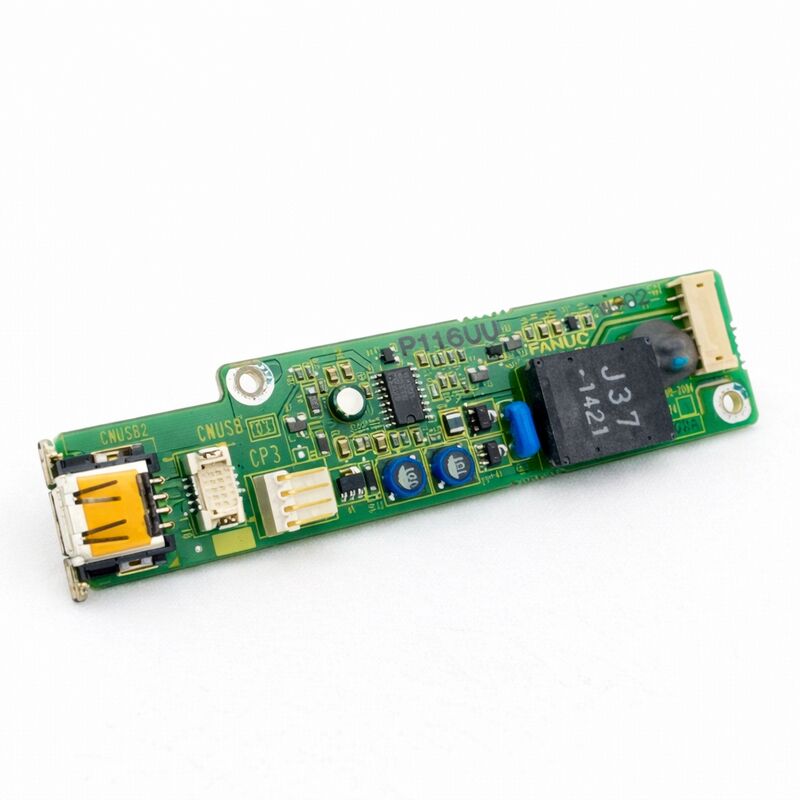
FANUC A20B-2004-0241 | CNC Control PCB Board — A20B-2004 Series, FANUC Industrial Automation Control Board, Japan Origin
Overview
The FANUC A20B-2004-0241 belongs to the A20B-2004 board family — a series of FANUC PCBs occupying the operator panel I/O and control interface layer in FANUC's CNC architecture.
The A20B-2004 family is closely associated with the operator panel connection unit and I/O interface function in multiple FANUC CNC generations: boards in this series manage the electrical bridge between the physical push buttons, switches, indicator lamps, handwheels, and emergency stop circuits on the machine tool's operator console and the CNC's internal digital I/O system.
The A20B-2004 family encompasses several distinct functional variants. The -0690 and -0691 variants are confirmed operator panel I/O PCBs.
The -0740 and related variants are further operator panel I/O configurations.
The -0241 occupies a position within this family as a control PCB that serves the specific configuration of FANUC operator panel interface or control I/O for which it was designed — a board that production facilities depend on to maintain the operator-machine link in their FANUC-controlled machine tools.
In the broader context of FANUC CNC maintenance, the A20B-2004 series boards represent an important category because they sit at the direct human interface to the machine.
A failed operator panel I/O board does not stop the machine's motor and servo systems from functioning, but it prevents the operator from controlling the machine in the normal way — starting cycles, adjusting feed rates, jogging axes, responding to alarms, or in the most severe cases, actuating the emergency stop through the panel.
This combination of non-critical-to-basic-function but critical-to-usability makes these boards a common maintenance target.
Key Specifications
| Parameter |
Value |
| Series |
A20B-2004 |
| Function |
CNC control / I/O interface PCB |
| Application |
FANUC CNC operator panel and I/O |
| Origin |
Japan |
The A20B-2004 Family — Operator Panel I/O in FANUC's Architecture
FANUC's i-series CNC systems (Series 16i, 18i, 21i, 0i, and related) use the I/O Link serial bus to communicate between the CNC's main control unit and external I/O devices — including the operator panel connection unit.
This serial bus approach replaced the older parallel wiring used in earlier FANUC generations, where each I/O signal required its own individual wire from the CNC to the operator panel.
The I/O Link carries all panel input and output signals over a small number of wires, dramatically simplifying wiring while adding the requirement that the operator panel contain I/O boards capable of translating between the I/O Link serial data and the physical button/lamp signals.
The A20B-2004 series boards are designed to operate within this architecture — receiving I/O Link serial data from the CNC, decoding it to activate the appropriate output signals (indicator lamps, relay outputs), and encoding the physical input signals (button states, switch positions, MPG pulses) to be sent back to the CNC via I/O Link.
This bidirectional translation function is fundamental to the operator panel's operation in the i-series CNC environment.
What Fails on A20B-2004 Series Boards — and Why
The failure patterns of operator panel I/O boards are shaped by where they sit in the machine's environment.
The operator console is the most human-accessible part of the machine — it is opened for maintenance, subject to coolant contamination ingress from the machine's workspace, exposed to vibration from the machine's moving axes, and in some installations, in relatively high ambient temperature zones.
These environmental factors produce specific failure modes:
Contamination-induced failures: Coolant mist and metallic dust that enter the operator panel housing settle on the PCB surface over years of operation.
These deposits create leakage paths between input signal traces, causing phantom button states or stuck inputs — the CNC receives button-press signals from buttons that nobody has pressed, or fails to receive signals from buttons that are pressed.
Cleaning the board with electronics-grade solvent resolves mild cases; severe contamination may require board replacement.
Connector wear and corrosion: The ribbon cable connectors and card-edge connectors on operator panel I/O boards experience more insertion/removal cycles than most other CNC boards, because the panel is accessed more frequently for maintenance.
Worn or corroded connector contacts produce intermittent I/O signals — the most difficult class of fault to diagnose because the symptoms appear and disappear without pattern.
Output driver IC failure: Each lamp or output circuit on the board is driven by an IC that provides the correct voltage and current for the indicator lamp.
These drivers can fail open (lamp never lights) or fail closed (lamp always lit), and they can also fail in ways that damage the lamp itself.
When LEDs began replacing incandescent lamps in FANUC operator panels, the driver current requirements changed — using the wrong lamp type on a board designed for the other type can stress the driver IC.
ESD damage: The buttons and switches on the operator panel face are potential entry points for static electricity from operators who have built up charge by walking across certain floor materials.
If the panel's static protection path is incomplete, ESD can reach the input circuits of the A20B-2004 board — causing either immediate failure or latent damage that degrades over time.
Maintenance and Replacement Considerations
When the A20B-2004-0241 is identified as the fault source in an operator panel I/O investigation, the replacement process is generally straightforward because this type of board does not store any CNC machine data:
No data backup needed: Unlike main CPU boards or memory modules, operator panel I/O boards store no machine parameters, programmes, or configuration data. Replacement is a hardware-only procedure.
Verify the correct variant: The A20B-2004 series contains multiple variants (-0241, -0690, -0691, -0740, and others) that serve different panel configurations and I/O point counts.
The exact replacement must match the installed board's part number. Boards within this family are not functionally interchangeable — a board designed for one panel configuration will not correctly interface with a different panel's wiring, even if it physically fits the same space.
Post-installation verification: After installing the replacement A20B-2004-0241, verify all panel functions individually: each pushbutton produces the correct PMC input signal (visible on the PMC diagnose screen), each indicator lamp lights correctly when commanded, the MPG handwheel (if connected to this board) produces axis movement in the correct direction and increment, and the emergency stop function operates correctly through its safety circuit path.
FAQ
Q1: The operator panel buttons have stopped responding but the machine's automatic cycle continues. Does this point to the A20B-2004-0241?
Yes, this symptom pattern — automatic operation continues normally while manual panel inputs become unresponsive — is characteristic of an operator panel I/O board fault.
The CNC's servo and PMC functions that drive automatic operation do not depend on the panel I/O board; they run independently.
Only functions that require the panel I/O board as the communication path (manual jogging, override switches, cycle start/feed hold buttons, mode switches) are affected.
Confirm by checking the PMC diagnose screen (G address inputs) — if button states are not changing when buttons are pressed, the fault is in the signal path from the button to the PMC, which includes the A20B-2004-0241.
Q2: Can a contaminated A20B-2004-0241 be cleaned rather than replaced?
Mild contamination — light dust or a thin film of oil aerosol — can often be cleaned successfully with appropriate electronics cleaning solvent (isopropanol or dedicated PCB cleaning spray) applied with a soft brush and allowed to dry completely before power-up.
This is worth attempting before committing to a replacement board.
Heavy contamination with thick deposits, coolant with water-soluble cutting additives, or metallic swarf that has created shorts between traces is much less likely to be fully resolved by cleaning — the risk of residual contamination causing future failures makes replacement the more reliable long-term solution in these cases.
Q3: After replacing the A20B-2004-0241, one indicator lamp stays permanently lit and another never lights. What should be checked?
These symptoms suggest wiring issues rather than a faulty replacement board.
Permanently lit: check for a short circuit on the output wiring (lamp wires touching, faulty lamp fixture grounding, or a connector pin-to-pin short).
Never lights: check for an open circuit in the output wiring (broken wire, unplugged connector, lamp replacement needed).
Additionally, verify that the replacement board's output driver type (sourcing vs sinking output, LED vs incandescent driver) matches the original board and the lamps installed in the panel. If the driver type is mismatched, some lamps may behave unexpectedly.
Q4: How is the A20B-2004-0241 identified as needing replacement versus the operator panel connection unit it interfaces with?
Isolating the fault between the operator panel I/O board and the connection unit it connects to requires a systematic signal-tracing approach. Starting from the physical button: test the button's continuity with a multimeter (confirms the button itself works).
Then test the signal at the connector pin on the A20B-2004-0241 (confirms the wiring from button to board is intact).
Then check the PMC diagnose screen to see if the signal reaches the CNC.
If continuity is confirmed at the connector but the signal doesn't reach the PMC, the fault is in the board or its communication path to the CNC.
If continuity fails at the connector, the fault is in the wiring or the button.
Q5: What is the correct ESD protection procedure when handling and installing the A20B-2004-0241?
Handle the board only while wearing a grounded ESD wrist strap connected to a verified ground point in the machine's electrical cabinet. Work on an ESD-safe mat. Keep the board in its antistatic packaging until the moment of installation.
Never place the board on ordinary cardboard, plastic, or wood surfaces.
Avoid touching the board's component side — handle it by the PCB edges. When inserting the board into its connector, apply even pressure across the board's length rather than force at one end. Power down the machine completely before any board installation or removal.
These precautions are essential for operator panel boards because they have numerous connector interfaces that are potential ESD entry points.


 Your message must be between 20-3,000 characters!