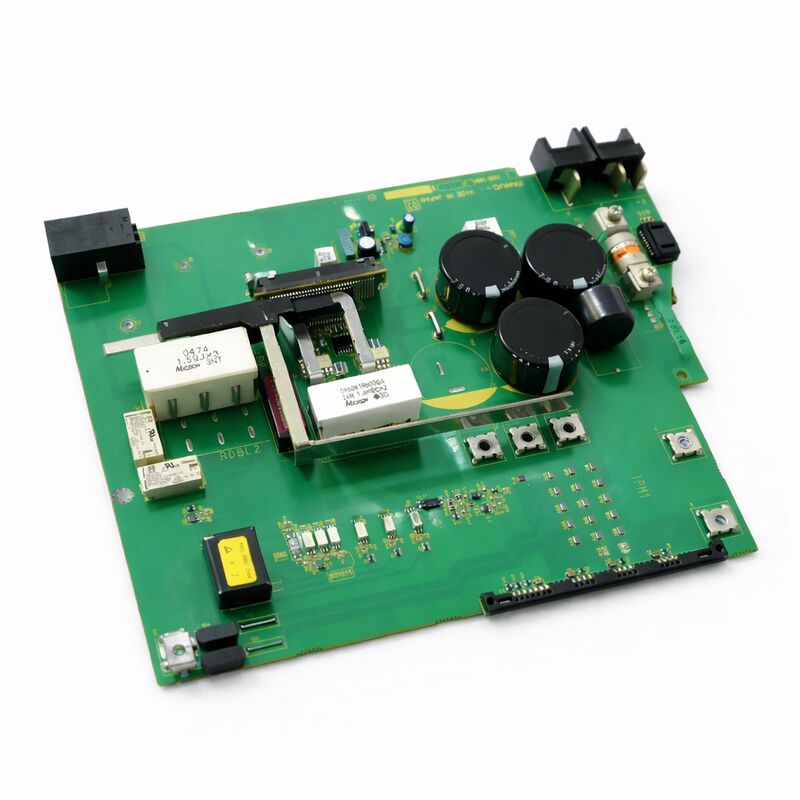
FANUC A20B-2004-0800 | A20B-2004 Series Operator Panel Interface PCB — Used, Tested
Part Number: A20B-2004-0800
Manufacturer: FANUC Corporation (Japan)
Product Type: Operator Panel Interface PCB — A20B-2004 Series
Series: A20B-2004
About the A20B-2004 Series
The A20B-2004 series covers operator panel interface boards for FANUC CNC systems — the PCBs that handle signal communication between the machine's operator panel and the CNC controller. These boards manage the I/O signals from the operator panel face: keyswitch inputs, mode selection buttons, override switches, and the output signals that drive panel indicators and status lamps. They sit between the physical operator controls and the CNC's PMC logic, translating the panel's 24V signals into the controller's internal I/O address space.
The A20B-2004-0800 occupies a specific position within this series. The A20B-2004 family includes several variants serving different panel configurations and I/O count requirements across FANUC's CNC platform range. Confirm the installed board's part number from its own label — adjacent variants within the series differ in connector layout and signal configuration.
Used Condition — What It Means in Practice
A used A20B-2004-0800 tested in good working condition is a practical and cost-effective replacement for operator panel communication faults on FANUC CNC systems. The A20B-2004 series boards are straightforward passive and low-complexity interface PCBs — they do not carry high-voltage circuitry, are not subject to the thermal stress of drive electronics, and typically have long service lives when operated in a normal CNC cabinet environment.
A tested used unit from a decommissioned machine or a controlled surplus source carries the same functional capability as a new unit. The key acceptance criteria for a used A20B-2004-0800: the board was powered up and verified to communicate correctly with the CNC — not just visually inspected. Request a functional test confirmation that covers the board's I/O communication path, not only a visual pass.
What This Board Does Not Store
The A20B-2004-0800 is an interface PCB — it stores no CNC parameters, no PMC ladder data, and no machine configuration. Replacing this board requires no parameter re-entry and no data backup. After installation, power up the CNC and verify that operator panel functions respond correctly. No additional commissioning steps are required for a like-for-like board swap.
Key Specifications
| Parameter |
Value |
| Part Number |
A20B-2004-0800 |
| Series |
A20B-2004 |
| Type |
Operator panel interface PCB |
| Condition |
Used, tested |
| Data Storage |
None (no parameters or firmware) |
| Origin |
Japan |
FAQ
Q1: Operator panel buttons have stopped responding selectively — some work, some do not. Could the A20B-2004-0800 be the cause?
Selective operator panel input failures — some buttons responding and others not — can originate from the interface board or from the panel wiring. First check the panel connector seating at the A20B-2004-0800. A partially engaged connector leaves some input channels open while others remain active. If reseating the connector does not restore all inputs, and the panel wiring is confirmed intact, the board has a fault at the affected input channels.
Q2: No operator panel inputs are responding, but the CNC otherwise runs normally. Is this the A20B-2004-0800?
Complete loss of operator panel input with an otherwise functional CNC points first to the communication link between the operator panel board and the CNC — the I/O Link or connection cable between them. Check the cable connections at both ends before concluding the board has failed. If cables are intact and the CNC shows no I/O Link communication alarm, the board itself has lost its ability to process panel signals.
Q3: Is a used A20B-2004-0800 reliable for a production machine?
Yes, when sourced from a supplier who tested it under actual operation rather than just visual inspection. A20B-2004 series interface boards are not high-stress components — they handle 24V digital signals at low current in the controlled environment of a CNC cabinet. Used boards from decommissioned machines typically have significant remaining service life. Confirm the supplier's test methodology covers the board's I/O signal path before purchase.
Q4: After installing the A20B-2004-0800, the CNC shows an I/O Link communication alarm for the operator panel connection. What should be checked?
An I/O Link alarm after board installation is most often a connector seating issue — verify the board is fully and correctly seated in its mounting position, and that the I/O Link cable connector at the board is fully engaged. If seating is confirmed and the alarm persists, check the I/O Link cable itself for continuity. If cable and seating are good and the alarm continues, confirm the replacement board's hardware revision is compatible with the target CNC system.
Q5: Does replacing the A20B-2004-0800 require any parameter changes in the CNC?
No. The operator panel interface PCB stores no CNC parameters. All machine configuration, PMC ladder data, and I/O address assignments reside in the CNC controller's SRAM and FROM memory — unaffected by the board swap. Power up after replacement and verify operator panel function. No parameter re-entry is required.


 Your message must be between 20-3,000 characters!