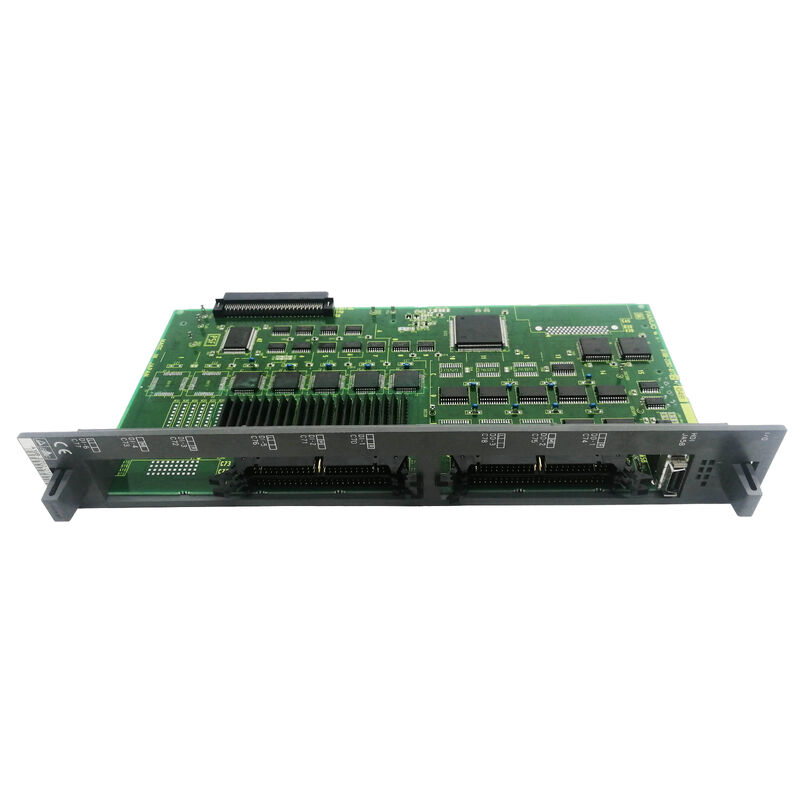
A16B-2200-0910 | FANUC Series 16 Option 1 Graphic Board — W/RS-232 / F-16 CNC / Graphics Expansion / Option Slot PCB
Option 1 — The Graphics and Communication Expansion Slot
The Series 16 CNC architecture includes option slots — defined positions on the main board where additional function cards expand the CNC beyond its base capability. The A16B-2200-0910 occupies the "Option 1" slot — a specific designated position within the Series 16 controller.
This board combines two distinct expansions in one card:
Graphics enhancement: The Series 16 base main CPU (A16B-2200-0900) provides "basic CRT output" — a standard display capability. The Option 1 graphic board enhances this display function. Graphics options in FANUC Series 16 CNCs typically add: higher-resolution display, colour display capability (where supported), tool path graphic check display, and enhanced graphical user interface screens.
RS-232C communication: "W/RS232" identifies an integrated RS-232C serial interface on the graphics board. This adds one or more RS-232C communication channels to the CNC system — used for programme transfer, DNC operation, or external device communication.
Key Product Information
| Parameter |
Value |
| Slot |
Option 1 |
| CNC |
Series 16 (F16) |
| Functions |
Graphics + RS-232C |
| Type |
Option PCB |
| Series |
A16B-2200 |
RS-232C in the CNC Context
The RS-232C interface on A16B-2200-0910 serves practical machine shop needs:
Programme upload/download: The CNC stores part programmes in SRAM (limited capacity). RS-232C allows bidirectional programme transfer between the CNC and a PC — backing up existing programmes and loading new ones.
DNC (Direct Numerical Control): RS-232C enables streaming of large programmes from a PC directly to the CNC's programme buffer during machining. Long programmes that exceed the CNC's SRAM storage can be supplied in real-time via DNC without storage limitations.
External device connection: Peripheral devices — barcode readers, network adapters, or custom interface devices — can connect to the RS-232C port for machine tool integration beyond standard CNC functions.
Application Scenarios
Series 16 CNC graphic option fault: A FANUC Series 16 CNC loses its graphical check function — the operator can no longer verify tool paths visually before cutting. The A16B-2200-0910 is identified as the fault. Replacement restores both graphics and RS-232C function.
DNC programme supply restoration: A Series 16 CNC loses RS-232C communication — DNC programme supply fails, forcing operators to load programmes manually from memory card. The RS-232C function on A16B-2200-0910 is the confirmed fault. Replacement restores DNC operation.
FAQ
Q1: Does A16B-2200-0910 work only in the Series 16-A, or also in Series 16-B and Series 18?
The "F16" designation in the description ("PCB — OPTION 1 GRAPHIC F16") identifies Series 16 specifically. Whether this board is compatible with Series 16-B (later hardware generation) or Series 18 depends on the option slot connector specification and the CNC's hardware revision. Confirm from the applicable FANUC Series 16 maintenance documentation before fitting in a Series 16-B or Series 18 system.
Q2: What is the graphic display benefit the A16B-2200-0910 adds over the base A16B-2200-0900 display?
The base main CPU provides "basic CRT output" — the fundamental display needed for programme display and parameter editing. The graphic option (A16B-2200-0910) enables enhanced graphics — typically including tool path graphic check (visualising the cutting path from a G-code programme before or during machining), which is absent in the base configuration.
Q3: Is the RS-232C on A16B-2200-0910 the only serial port on the Series 16-A CNC?
The base main board (A16B-2200-0900) already provides RS-232C channels for "upload/download of parameters or drip feeding." The A16B-2200-0910 adds additional RS-232C capacity — providing more ports for concurrent connections (PC for DNC, separate device for data collection, external communication) without sharing one port.
Q4: Does replacing A16B-2200-0910 affect CNC parameters or programmes?
No. CNC parameters and programmes reside in SRAM and FROM modules on the main CPU board. The option board holds no stored CNC data. Replacing A16B-2200-0910 does not affect any stored machining data.


 Your message must be between 20-3,000 characters!