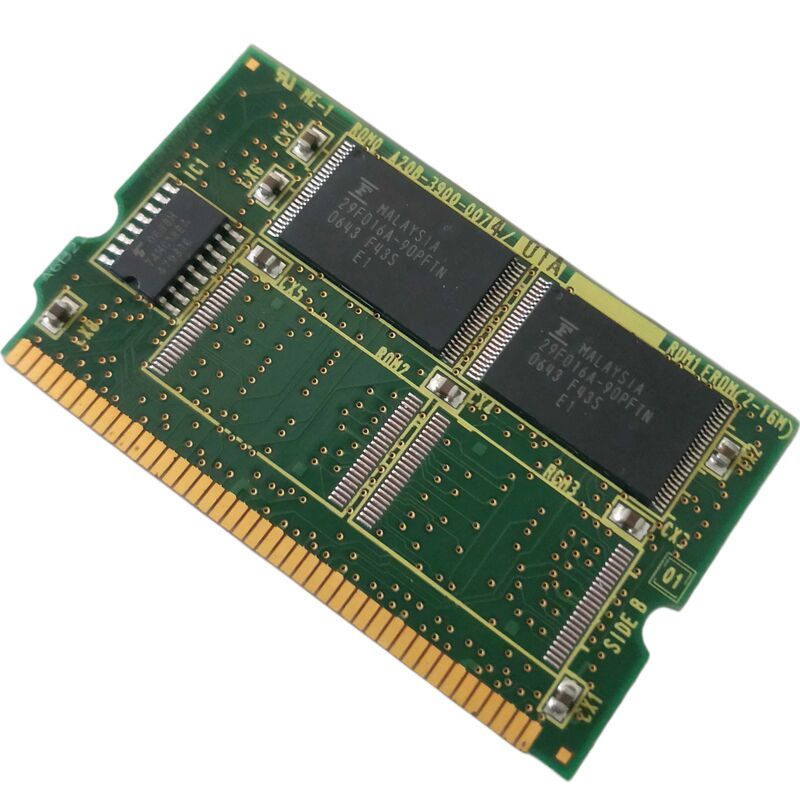
FANUC A20B-3900-0071 | 12MB FROM Flash DIMM Memory Module — Series 16i / 18i / 21i CNC
Part Number: A20B-3900-0071
Cross Reference: A20B39000071
Manufacturer: FANUC Ltd. (Japan)
Product Type: FROM (Flash ROM) DIMM Memory Module — 12 MB
Product Series: A20B-3900
Non-Volatile Firmware Storage
The A20B-3900-0071 is a 12 MB FROM (Flash Read-Only Memory) DIMM module for FANUC Series 16i, 18i, and 21i CNC systems. It plugs into the DIMM slot on the i-Series master board and stores everything the CNC needs to boot and operate: the FANUC system software, servo control firmware, PMC ladder logic, and management programs. At power-up, the CNC loads the FROM contents into working DRAM for execution. Without a functioning FROM module, the CNC cannot start.
Flash ROM retains data without battery backup — unlike SRAM, which loses its content if the backup battery dies. The FROM module is stable as long as the flash memory cells are intact. Failure typically presents as a FROM parity error or boot failure alarm.
The A20B-3900 series covers multiple capacity variants. The 0071 is the 12 MB version, positioned between the 8 MB (0012) and the larger 32 MB modules (0225). The capacity required depends on the CNC's software version and any installed software options — confirm the required FROM size from the CNC's hardware documentation before ordering.
Key Specifications
| Parameter |
Value |
| Part Number |
A20B-3900-0071 |
| Memory Type |
FROM (Flash ROM) |
| Capacity |
12 MB |
| Platform |
Series 16i, 18i, 21i |
| Mounting |
DIMM slot — master board |
| Battery Required |
No |
FAQ
Q1: The CNC shows a FROM parity error at power-up. Is the A20B-3900-0071 the cause?
FROM parity errors at boot directly indicate a failed or corrupted FROM module. Before replacing the module, attempt a FROM re-flash via the BOOT screen — if the write operation succeeds, the module's flash cells may have developed a soft error that a reflash can clear. If the write fails or errors persist after reflash, the module has failed and must be replaced.
Q2: After replacing the A20B-3900-0071, the CNC boots but shows incorrect firmware behaviour. What is wrong?
A replacement FROM module installed blank will boot the CNC in an uninitialised state. The correct FANUC system software files for the specific CNC series and software version must be loaded via the BOOT screen. Confirm the software version required from the original module's label or the CNC's system information screen.
Q3: Is the 12 MB A20B-3900-0071 compatible with 8 MB or 4 MB modules in the same DIMM slot?
FROM module capacity must match the software version's requirements. A smaller-capacity module may not hold all required software files. Confirm the minimum FROM size for the CNC's installed software from FANUC's hardware configuration documentation before substituting a different capacity module.
Q4: Can the FROM module be upgraded from 12 MB to a larger capacity to support additional software options?
Yes, within the constraints of what the master board's DIMM slot supports. Larger modules (such as the 32 MB A20B-3900-0225) are compatible with the same DIMM slot on supported master board versions. Confirm the master board supports the larger module capacity before upgrading.
Q5: Where is the A20B-3900-0071 sourced?
FANUC i-Series spare parts specialists and CNC aftermarket dealers hold exchange stock for A20B-3900 FROM modules. Both new surplus and refurbished units are available. Request confirmation of the 0071 (12 MB) variant — not adjacent variants of different capacity.


 Your message must be between 20-3,000 characters!