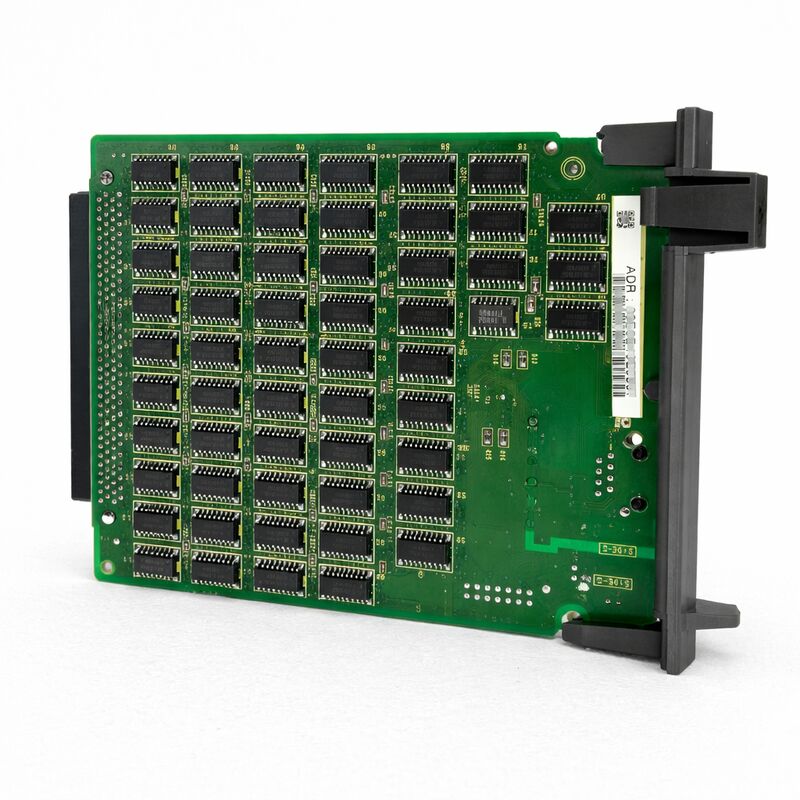
FANUC A20B-8100-0670 | Fast Ethernet Board — Standalone CNC Ethernet Option PCB, FOCAS1 / DNC1 / Factolink Network Interface, A20B-8100 Series, Japan Origin
Part Number: A20B-8100-0670
Manufacturer: FANUC Corporation (Japan)
Product Category: PCB — Ethernet Option Board (Standalone CNC type)
Series: A20B-8100
Overview
The FANUC A20B-8100-0670 is a Fast Ethernet option board for FANUC's standalone-type i-series CNC controllers. It installs in the option slot of a standalone CNC control unit, adding a 100BASE-TX Ethernet port that enables the controller to connect to a factory LAN.
Without this board — or the embedded Ethernet function available on certain main board variants — a FANUC i-series CNC has no direct network connection. It can only communicate via RS-232C serial cable or HSSB.
The A20B-8100-0670 changes that. Once installed and configured, the CNC becomes a networked node.
It can receive and send NC programmes, respond to FOCAS2 API calls from monitoring software, participate in DNC1/Ethernet data-server file transfers, and display Factolink operator guidance screens pushed from a factory server.
The standalone designation in the product's category is specific and important.
FANUC's i-series controllers come in two physical architectures — integrated (LCD-mounted, compact) and standalone (the CNC electronics in a separate cabinet).
The A20B-8100-0670 is designed for the standalone-type units where option boards install in dedicated rack slots within the control cabinet.
Key Specifications
| Parameter |
Value |
| Board Type |
Fast Ethernet option PCB |
| Interface |
100BASE-TX (RJ-45) |
| Architecture |
Standalone CNC option slot |
| Compatible CNC |
FANUC i-series standalone-type controllers |
| Functions |
FOCAS1/Ethernet, DNC1/Ethernet, Factolink |
| Series |
A20B-8100 |
| Status |
Available — refurbished, tested |
| Origin |
Japan |
What the Ethernet Board Enables
Once the A20B-8100-0670 is installed and the CNC's Ethernet parameters are configured, several connectivity functions become available:
FOCAS1/Ethernet. FOCAS (FANUC Open CNC API Specification) is FANUC's standard API for accessing CNC data from external applications.
With the Ethernet board, applications running on a PC or server can connect over TCP/IP to read spindle load, axis position, alarm status, programme name, and dozens of other CNC data items in real time.
This is the foundation of machine monitoring, OEE dashboards, and MTConnect integration on FANUC i-series machines.
DNC1/Ethernet. The DNC1 function allows NC programme files to be loaded from a network-accessible file server instead of transferred in advance to the CNC's internal memory.
The CNC requests a programme file by name, and the Ethernet board retrieves it from the configured DNC server path over the network.
This is the standard way large programmes — multi-thousand-block mould machining programmes, for example — are run on CNC machines without the overhead of large local memory.
Factolink. Factolink is FANUC's operator guidance system.
A Factolink server pushes text pages to the CNC's display, allowing setup instructions, maintenance prompts, or production data to be presented directly on the operator panel.
The Ethernet board provides the network link that makes Factolink updates possible in real time from a central server.
Installation Context
The A20B-8100-0670 installs into an available option slot in the standalone CNC's control rack. Like other A20B-8100-series option boards (Profibus master, DeviceNet, RISC CPU, data server), it plugs into the F-bus connector on the backplane and is detected by the CNC's system software during startup.
After installation, the CNC's network parameters must be configured — IP address, subnet mask, default gateway, and the specific function parameters for FOCAS, DNC1, or Factolink, depending on which services will be used.
These parameters are entered through the CNC's SYSTEM / Ethernet parameter screens in MDI mode and stored in non-volatile memory.
The board itself requires a compatible Ethernet software option to be enabled in the CNC's system software (FROM). Installing the board without the corresponding software option licence results in the Ethernet function being inactive.
Verify the CNC's option configuration before ordering this board as a standalone replacement.
FAQ
Q1: The A20B-8100-0670 is installed but the EMBED PORT softkey does not appear on the SYSTEM screen. What should be checked first?
The most common cause is that the Ethernet software option is not enabled in the CNC's FROM module. The Ethernet board hardware must be matched by an activated software option in the CNC licence.
Check the CNC's option screen (SYSTEM → [OPTIONS]) for the Ethernet function.
If it is not listed or not enabled, the board cannot be activated without the corresponding software option. Also verify the board is fully and correctly seated in its option slot.
Q2: Can the A20B-8100-0670 support FOCAS2 API calls from modern machine monitoring software?
Yes. FOCAS1/Ethernet (which the A20B-8100-0670 supports) and FOCAS2 share a compatible protocol base.
Most modern FANUC machine monitoring and MTConnect adapter software using the FOCAS2 library connects to i-series CNC controllers via the Ethernet port regardless of whether the board is dedicated (A20B-8100-0670 type) or an embedded Ethernet function on the main board.
Confirm the specific FOCAS2 library version and compatible CNC series with the software provider.
Q3: The CNC is an integrated (LCD-mounted) type 16i-B or 18i-B. Will the A20B-8100-0670 fit?
The A20B-8100-0670 is specifically for standalone-type CNC units with dedicated rack option slots. Integrated (LCD-mounted) 16i-B/18i-B/21i-B CNC units use a different option slot architecture and different Ethernet interface boards.
Confirm the physical architecture of the CNC before ordering — standalone units have the electronics in a separate rack cabinet, while integrated units have the electronics integrated behind the LCD panel.
Q4: How many simultaneous FOCAS connections does the A20B-8100-0670 support?
The Ethernet board supports a limited number of simultaneous TCP/IP connections as defined by FANUC's FOCAS1/Ethernet specification — typically up to three concurrent application connections. Attempting to open more connections than the board supports causes connection refusals or timeouts in the application software.
For environments requiring many simultaneous data consumers, a single FOCAS2 data concentrator that connects once to the CNC and redistributes data is the standard architecture.
Q5: After replacing the A20B-8100-0670, the Ethernet parameters appear blank. Is there a way to recover them without the original configuration records?
The Ethernet parameters (IP address, subnet mask, DNC server path, etc.) are stored in the CNC's SRAM.
If the board was replaced without first backing up SRAM, or if the parameters were cleared during the replacement, they must be re-entered manually.
Parameters for FOCAS, DNC1, and Factolink are all entered in the SYSTEM → Ethernet parameter screens.
Contact the machine tool builder's service documentation or the factory network administrator for the original IP configuration if records are not available locally.


 Your message must be between 20-3,000 characters!