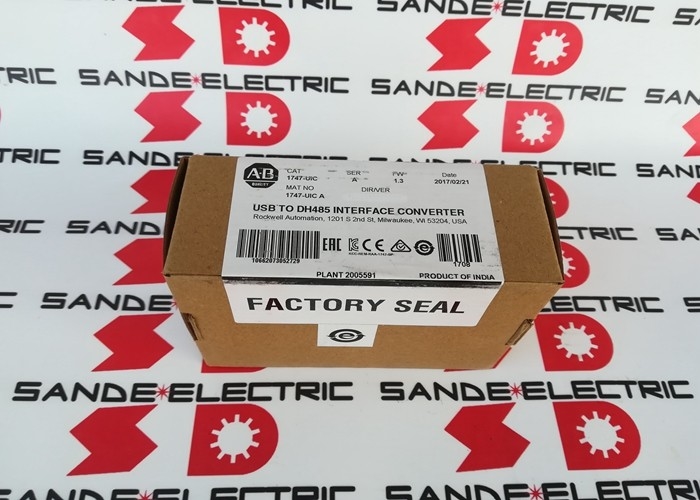
1747-UIC | SLC 500 Series USB to DH-485 Interface Converter — 12 Mbps / 19.2 Kbps / 500V Isolation / USB-Powered
1747-UIC — USB to DH-485 for SLC 500 Series Networks
The 1747-UIC is a USB to DH-485 interface converter for the SLC 500 series PLC platform — providing modern USB connectivity to the DH-485 serial industrial network. It connects a laptop or desktop computer's USB port to DH-485-equipped SLC 500 controllers, PanelView operator terminals, and network isolators, enabling programming, monitoring, and data exchange without requiring a legacy RS-232 serial port.
As PCs transitioned away from RS-232 serial ports, the DH-485 network's RS-232 dependency became a practical obstacle for field engineers. The 1747-UIC resolves this by translating USB to DH-485 transparently — appearing to the programming software as a standard communication channel to the 1747 network.
Key Specifications
| Parameter |
Value |
| USB Transfer Speed |
12 Mbps |
| DH-485 Baud Rate |
19.2 Kbps |
| DH-485 Ports |
2 (switch-selectable) |
| Port 1 |
RJ-45 — for SLC 500, 5/01, 5/02, 5/03 |
| Port 2 |
RS-232 DB9 — for channel 0 on 5/03+ and related |
| Isolation |
500V DC (USB power to DH-485 common) |
| Power |
USB-powered, <100 mA |
| LED Indicators |
3 (power, USB, DH-485) |
| Operating Temp |
0–60°C |
| Cable Length |
12 inches (USB connection cable) |
Two DH-485 Ports — One Converter, Multiple Connections
The 1747-UIC provides two switch-selectable DH-485 interface options:
RJ-45 port (DH-485): The primary port for direct connection to SLC 500 5/01, 5/02, and 5/03 CPU DH-485 channels using the standard SLC 500 RJ-45 programming cable. Also connects to 1747-AIC isolators and PanelView terminals with DH-485 ports.
RS-232 DB9 port: For connection to SLC 5/03 channel 0 and higher CPUs, 1761-NET-AIC isolators, 1761-series controllers, CompactLogix, FlexLogix, ControlLogix, and PanelView terminals with RS-232 DH-485 interfaces.
The selector switch toggles between these two port types — the active port is confirmed by the LED status display.
Applications
SLC 500 PLC programming and monitoring: Connecting a programming laptop running the applicable PLC programming software to SLC 500 5/01, 5/02, 5/03 CPUs for programme upload, download, online monitoring, and fault diagnosis.
PanelView terminal configuration: Uploading and downloading HMI applications to PanelView operator terminals connected to the DH-485 network.
Network diagnostics: Browsing the DH-485 network to identify connected nodes, check communication status, and diagnose network faults using RSLinx or compatible network diagnostic tools.
Historical data retrieval: Connecting to SLC 500 controllers for data logging retrieval, production record download, and maintenance data collection in facilities without permanent network infrastructure to the control panel.
Drive and motion system integration: Accessing ControlLogix and CompactLogix systems via the RS-232 DB9 port for commissioning, parameter adjustment, and fault investigation in systems with DH-485 communication options.
FAQ
Q1: Which DH-485 port on 1747-UIC is used for which SLC 500 CPU type?
The RJ-45 port connects to SLC 500 5/01, 5/02, and 5/03 CPUs via the standard SLC programming cable to the DH-485 RJ-45 socket on the CPU. The RS-232 DB9 port connects to SLC 5/03 channel 0 (and 5/04, 5/05 CPUs), AIC+ isolators, and 1761-series controllers. Select the correct port and cable for the specific device being accessed — use the selector switch to activate the required port.
Q2: Does 1747-UIC work with current Windows operating systems?
The 1747-UIC uses an embedded driver that is compatible with the DH-485 communication protocol in current versions of industrial PLC programming software. Confirm driver compatibility with the installed Windows version from the documentation included with the 1747-UIC. Windows 10 and 11 compatibility is confirmed by most users with current driver installations.
Q3: Can 1747-UIC connect to more than one DH-485 device simultaneously?
No — the 1747-UIC supports one active DH-485 connection at a time. It can communicate with multiple nodes on the same DH-485 network sequentially (the network itself supports up to 32 nodes), but only one computer/1747-UIC connection is active at a time. One converter per computer is the maximum supported configuration.
Q4: What do the three LEDs on 1747-UIC indicate?
LED 1 (power): Green when the converter is receiving USB power and operating normally. LED 2 (USB activity): Flashes during USB data transfer between the computer and the converter. LED 3 (DH-485 activity): Flashes during DH-485 communication on the active port. No activity on LED 3 when a DH-485 connection is expected indicates a wiring, cable, or protocol mismatch.
Q5: Can 1747-UIC be used without RSLinx software?
The 1747-UIC communicates using the RSLinx DF1 RS-232 Full-Duplex driver — an embedded driver compatible with the standard DH-485 protocol. RSLinx or a compatible industrial communication platform is required for the programming software to communicate through the 1747-UIC to the target PLC or terminal. Direct driver-less operation is not supported.



 Your message must be between 20-3,000 characters!