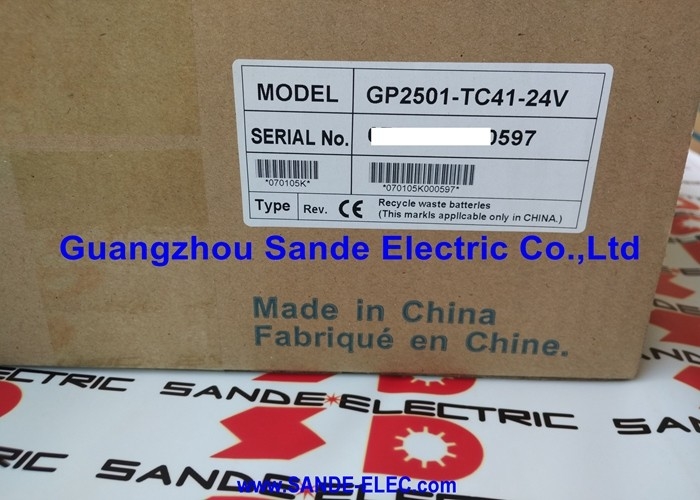
GP2501-TC41-24V | Pro-face 10.4" TFT Color HMI — 65536 Colors / 640×480 / AC100-240V / CF Card / Ethernet / RS-232C / SD 32GB / Pro-Server
10.4-Inch True Colour — A Clear View of Machine Status
The GP2501-TC41-24V carries a 10.4-inch TFT panel displaying 65,536 colours at 640×480 resolution. The 301.5mm wide display area gives operators a clear view of process graphics, alarm displays, and numeric data from a normal operator standing distance. At 256 colours in palette mode and 65,536 in true colour mode, the panel handles both simple indicator-driven screens and photo-realistic bitmap graphics in the same project.
The touchscreen input layer covers the full display area. Operators interact directly with on-screen buttons, sliders, numeric keypads, and navigation tabs. The panel's auto pop-up keyboard appears when a numeric or alphanumeric input field is selected — the operator does not need a physical keypad for data entry.
Key Specifications
| Parameter |
Value |
| Display |
10.4" TFT True Color |
| Resolution |
640 × 480 (VGA) |
| Colors |
65,536 |
| Display Area |
W301.5 × H227.5mm |
| Input Power |
AC100–240V |
| Memory (FEPROM) |
2MB programme |
| Memory (SRAM) |
128KB backup |
| CF Card |
Built-in |
| Ethernet Port |
1 |
| Serial |
RS-232C / RS-422/485 |
| SD Card |
Up to 32GB |
| USB |
Type-A + Mini-B (2.0) |
Multi-Port Communication — RS-232C, RS-422/485, Ethernet, USB
The panel's four communications interfaces cover the range of industrial device connections:
**Ethernet (1 port): Connects to the factory network or Pro-Server PC. Live production data transmits to PC applications in real time via the Ethernet connection. The Pro-Server server software collects data from the panel automatically without modifying the HMI project.
RS-232C (×1): Serial connection for devices such as barcode readers, printers, or PLCs with RS-232 interfaces. Commonly used for direct PLC connection or auxiliary device communication.
RS-422/485 (×1): Multi-drop serial for RS-485 network connections — Modbus RTU, PROFIBUS DP gateway adapters, or legacy RS-485 PLC protocols. Supports multi-device wiring on a single pair.
USB Type-A (2.0): For USB memory sticks — direct project transfer, data export, and recipe file management without opening the panel.
USB Mini-B (2.0): PC connection for development — project download from Pro-face GP-Pro EX or GP-PRO/PBIII configuration software.
Application Scenarios
Process plant pump station: The panel displays live flow rates, pressures, and alarm states from a pump station PLC via RS-485 Modbus. The Ethernet port connects to Pro-Server, logging pump run hours and alarm events to a PC database automatically.
Assembly machine HMI: The 10.4-inch screen shows the current production order, machine cycle count, and active alarms. Operators input recipe parameters via the auto pop-up keypad. USB stick transfer updates the screen project at shift change without a programming PC.
Food production line display: The panel collects batch production counts and quality check records to the SD card for traceability reporting. The CF card carries the current production recipe — swapping the card changes the active recipe without PLC programme changes.
FAQ
Q1: What configuration software is required for the GP2501-TC41-24V?
Pro-face GP-Pro EX is the current configuration software for the GP2501 series. Earlier projects may have been created with GP-PRO/PBIII. GP-Pro EX runs on a PC and connects to the panel via the USB Mini-B port for project download and online testing. Pro-Server EX is the separate data server software for live production data collection over the Ethernet connection.
Q2: What PLCs can the GP2501-TC41-24V communicate with directly?
The panel supports a wide range of PLC communication drivers through its RS-232C, RS-422/485, and Ethernet ports — including major brands using Modbus RTU/TCP, various proprietary serial protocols, and other fieldbus standards. The specific drivers available depend on the GP-Pro EX version and the optional protocol licences installed. Check the GP-Pro EX communication driver list for the target PLC model before project creation.
Q3: Can the CF card be hot-swapped while the panel is running?
Accessing the CF card while the panel is actively writing data to it risks data corruption. Follow the panel's CF card eject procedure in the operating screen or operator menu to safely unmount the card before physical removal. The panel provides a CF card eject softkey that confirms safe removal. Avoid physical ejection without using this procedure when the panel is powered on.
Q4: What is the Pro-Server function and what data does it collect?
Pro-Server EX is Pro-face's PC-based server application that connects to GP-series panels over the Ethernet network. It reads PLC variable data from the panel in real time and makes it available to PC applications — spreadsheets, databases, SCADA systems, and custom applications via OPC or DDE interfaces. The panel acts as the gateway between the PLC (serial/fieldbus side) and the PC network (Ethernet side). Pro-Server automatically collects and timestamps data without requiring manual export from the panel.
Q5: What happens to screen data when the panel battery is depleted?
The replaceable battery maintains the panel's internal clock (real-time clock) and SRAM backup memory — which retains variable tag values, alarm history timestamps, and user-configured numeric entries across power cycles. If the battery depletes, the clock resets and SRAM backup is lost — alarm timestamps become invalid and numeric entries revert to defaults. The programme stored in FEPROM (flash memory) is not affected by battery depletion; only clock and RAM variable data are at risk. Replace the battery before the low battery warning appears to prevent data loss.


 Your message must be between 20-3,000 characters!