Highlight:
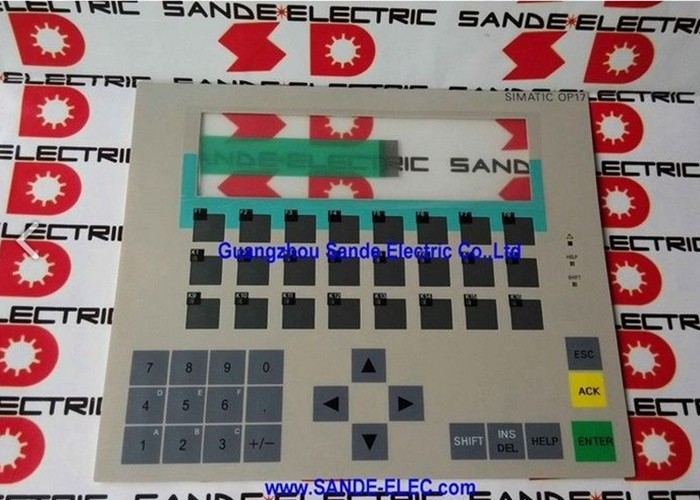
OPERATOR PANEL 6AV3617-1JC20-0AX1 6AV3 617-1JC20-0AX1 6AV3617-1JC2O-OAX1
Siemens NEW 6AV3617-1JC20-0AX1 OPERATOR PANEL
****Please firstly Contact us for its Availability, due to goods Vary. Thanks much!
*** SPARE PART*** OPERATOR PANEL OP17/DP LC DISPLAY, BACKLIT LED 4X20/8X40 LINESXCHARACTERS SIMATIC S7, M7 PROFIBUS-DP 1.5 MBAUD UL/CSA-LISTED

PAYMENT INFO:
ESCROW / PAYPAL are only for the goods value 500$ or less.
Bank Transfer / Western Union are ok for any goods.
Handling charge ESCROW: 5-5.1%; Paypal: 3.9-4.4%
SHIPPING INFO:
*** Pls inform us, once you transfer payment by any form, for us follow up in time.
*** Items are typically sent out 3-5 Working Days, after payment has been received.
Will ship worldwide (Please ask us first if you do not see an exact price for shipping for your country)
* FREE Shipping is not AVAILABLE for the buyers who are from some certain coutires DHL / Fedex are not avaiable for, Pls contact us for the detailed SHIPPING Cost.
Cross-border buyers are responsible for any CUSTOMS DUTY, TAX, etc. imposed by the buyer's home country.
************************************************************************************
PLEASE NOTIFY US WITHIN 10 DAYS
IF YOU HAVE NOT RECEIVED GOODS
&
PLEASE NOTIFY US AT THE SAME/ NEXT DAY,
IF GOODS ARRIVE DAMAGED / NOT COMPLETE / NOT DESCRIBED
************************************************************************************
We DO COMBINE SHIPPING on multiple purchases!
Local Pickup Available
WARRANTY & RETURN:
** THREE Months WARRANTY for the Used goods**
** SIX Months WARRANTY for the New / Unused goods**
** Buyer Pays the Return Shipping Cost of Warranty **
*** We Accept RETURNS if goods arrive DAMAGED / NOT DESCRIBED / NOT COMPLETE.
*** We Accept RETURNS if goods are NOT WORKABLE in 4 Days After Goods Arrive.
.*** We do not offer Warranty, if after buyer collect goods, it become Physically Damaged or Improper Operated.
*** We do not accept RETURNS because the Wrong item was purchased or the buyer has changed their Mind.
***The Return goods must be in Original Same as we Sent with the Warranty Label On.
QUESTIONS
Please feel free to send us any question you may have, we are happy to answer!
Special arrangements will be made for bulk orders / pick-ups, please ask!
*If you do not see it listed, ASK US, we can list it for you!
BUSINESS HOURS
We are normally here between 9:00 A.M. and 5 P.M. Mon-Fri.
FEEDBACK
Feedback is left for buyers as soon as payment is received.
We ask that you leave us 5 star feedback once you get your item (s) in satisfactory condition.
If there is any problem, please notify us before you leave any feedback!
We always strive to resolve any issue.
Our customers are very important to us!
We Appreciate Your
Business!!

 Your message must be between 20-3,000 characters!
 english
 français
 Deutsch
 Italiano
 Русский
 Español
 português
 Nederlandse
 ελληνικά
 日本語
日本語
 한국
한국
 العربية
 हिन्दी
 Türkçe
 indonesia
 tiếng Việt
 ไทย
ไทย
 বাংলা
বাংলা
 فارسی
فارسی
 polski