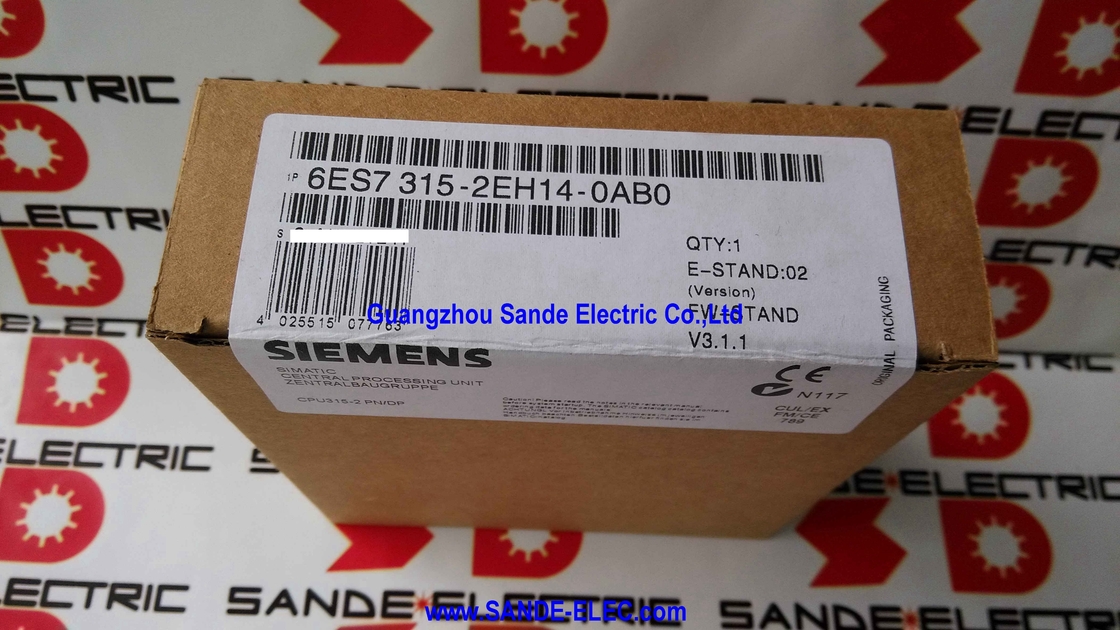
Siemens 6ES7315-2EH14-0AB0 | SIMATIC S7-300 CPU 315-2 PN/DP — 384KB / MPI+PROFIBUS DP + PROFINET 2-Port Switch
PROFIBUS and PROFINET Simultaneously
The CPU 315-2 PN/DP carries two independent communication interfaces — and this dual architecture is the reason it exists. Interface 1 handles MPI and PROFIBUS DP. Interface 2 handles PROFINET with an integrated two-port switch. Both run concurrently on the same CPU.
The practical use case is bridging generations. Interface 1 connects to the established PROFIBUS field devices — drives, ET 200 remote I/O, instruments — that predate PROFINET and are not being replaced. Interface 2 connects to newer PROFINET devices, provides the programming and HMI Ethernet connection, and allows the plant network to reach the CPU without separate Ethernet infrastructure. One CPU handles both sides of the transition without compromise on either.
The integrated two-port PROFINET switch is not cosmetic. It allows daisy-chain or ring topologies without an external Ethernet switch — two devices plug directly into the CPU's PROFINET ports, with one port going upstream and the other continuing downstream. This reduces panel hardware count in linear machine topologies.
Key Specifications
| Parameter |
Value |
| Work Memory |
384 KB |
| Bit Speed |
0.05 µs |
| DP Slaves |
124 (max) |
| PROFINET |
100 Mbit/s, 2-port switch |
| Active Connections |
16 |
| Supply |
24V DC |
| Weight |
0.38 kg |
| Load Memory |
MMC (not included) |
Four Simultaneous Communication Roles
The CPU supports four simultaneous protocol roles:
| Interface |
Role |
Function |
| Interface 1 |
PROFIBUS DP Master |
Controls up to 124 DP slaves |
| Interface 1 |
PROFIBUS DP Slave |
Exchanges data with a higher-level master |
| Interface 2 |
PROFINET IO Controller |
Controls PROFINET IO devices |
| Interface 2 |
PROFINET IO Device |
Responds to a higher-level IO Controller |
The DP Slave and IO Device roles enable distributed intelligence architectures: multiple CPU nodes in a production line, each managing its own machinery section, coordinated by a supervisory master through defined data exchange interfaces.
Micro Memory Card — Required, Not Included
The CPU has no internal load memory. The Micro Memory Card (MMC) is the only load memory medium — it stores the user program, CPU firmware, and retentive data. Without an MMC, the CPU cannot store a program. The MMC is not included in the CPU delivery and must be ordered separately.
MMC capacity sizing: 128KB covers programs in the 50–80KB range. Complex multi-axis programs with large data blocks may require 512KB or larger. The MMC has no effect on program execution speed — that is limited by work memory (384KB) and processor performance.
The CPU has no battery. Retentive data is stored to the MMC, not to battery-backed RAM. Loss of power with no MMC installed loses all data.
FAQ
Q1: What MMC size is appropriate for typical applications?
A 128KB MMC covers typical machine programs in the 50–80KB range. Programs with large data blocks, multi-axis coordination libraries, or extensive function block collections may require 512KB or more. The MMC size does not affect execution speed. A 2MB or 4MB MMC provides comfortable growth margin at modest additional cost.
Q2: Can the CPU 315-2 PN/DP replace a CPU 315-2 DP (without PROFINET) in an existing system?
Yes, with checks. The module fits the same S7-300 rail slot. The PROFIBUS DP master configuration from the existing project can be imported. The PROFINET interface is additional and does not conflict. Verify STEP 7 version — the -2EH14 requires STEP 7 V5.5 SP4 or later for full functionality. Evaluate the existing MMC for firmware compatibility before transferring it.
Q3: How many PROFINET IO devices can this CPU control?
Up to 16 active connections across all protocols simultaneously. PROFINET IO connections draw from this pool. In practice, 10–20 PROFINET IO devices (ET 200SP stations, PROFINET drives) is well within the CPU's capacity with proper connection planning. For networks requiring more PROFINET IO nodes, the CPU 319-3 PN/DP is the appropriate step up.
Q4: What does the integrated web server provide?
CPU status (operating mode, scan cycle time, firmware version), S7-300 rack module diagnostics, and active connection status — accessible through any web browser at the CPU's PROFINET IP address, without additional software. Custom user-defined web pages displaying process values or alarm states can be deployed via STEP 7.
Q5: What is the difference between -0AB0 and earlier hardware revisions?
The -0AB0 revision code identifies an engineering change to the physical hardware while maintaining full software compatibility. All hardware revisions of the CPU 315-2 PN/DP run the same STEP 7 project — revision changes are not visible to the user configuration. Siemens documents hardware changes in product change notifications, but they have no effect on the user's program or configuration.



 Your message must be between 20-3,000 characters!