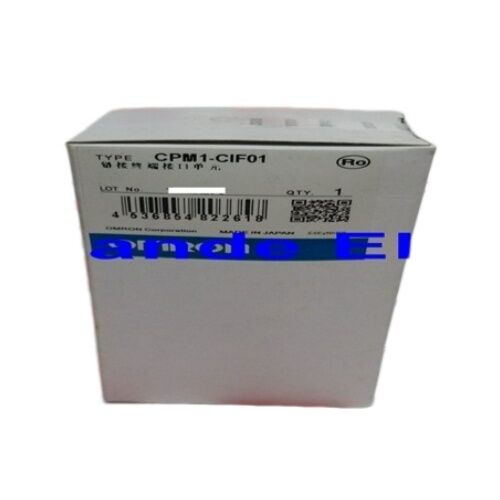
Omron CPM1-CIF01 | Peripheral Port RS-232C Adapter — CPM1 / CPM1A / CPM2A / SRM1 / Host Link + Programming / XW2Z Cable Combinations
Part Number: CPM1-CIF01
Manufacturer: Omron Corporation (Japan)
PC-Side Connector: D-sub 9-pin (RS-232C)
Cable Combinations:
- XW2Z-200S-CV (2m) / XW2Z-500S-CV (5m) — for standard PC COM port connection
- XW2Z-200S-V (2m) / XW2Z-500S-V (5m) — alternate connection arrangement
What the CPM1-CIF01 Actually Does
The CPM1/CPM1A/CPM2A PLCs communicate through a peripheral port that operates at TTL logic levels — voltage swings of 0–5V. Standard PC serial ports and USB-to-serial adapters work at RS-232C levels — voltage swings of ±3V to ±15V. These are not compatible without a level converter.
The CPM1-CIF01 is that level converter. It plugs into the PLC's peripheral port connector, converts TTL signal levels to RS-232C, and presents a D-sub 9-pin male connector that a PC serial interface accepts. Without this adapter (or an equivalent), there is no direct path from a PC running CX-Programmer or SYSMAC-CPT to the PLC's programme port. The CPM1-CIF01 is the physical interface that makes the connection possible.
Key Specifications
| Parameter |
Value |
| Function |
TTL-to-RS-232C level conversion |
| Compatible PLCs |
CPM1, CPM1A, CPM2A, SRM1 |
| Modes |
Peripheral bus / Host Link |
| PC Connector |
D-sub 9-pin RS-232C |
| Cable Options |
XW2Z-200/500S-CV or -V |
| Cable Lengths |
2m or 5m |
Cable Selection — Which XW2Z Cable to Use
| Cable |
Length |
Typical Use |
| XW2Z-200S-CV |
2m |
PC AT-compatible D-sub 9-pin port via CIF01 |
| XW2Z-500S-CV |
5m |
Longer run to same port type |
| XW2Z-200S-V |
2m |
Alternate connection configuration |
| XW2Z-500S-V |
5m |
Longer run, alternate configuration |
The CV-type cables (XW2Z-xxxS-CV) are specified in Omron's standard connection diagrams for PC-to-CPM1A/CPM2A programming via the CPM1-CIF01. Verify the specific cable combination from the Omron connection guide for the installed PLC model before ordering — the correct combination depends on the PLC type and PC interface.
Application Scenarios
Initial programme commissioning: Connect the CPM1-CIF01 to the CPM1A peripheral port, attach the XW2Z-200S-CV cable to the PC COM port (or USB-to-serial adapter), open CX-Programmer, select the correct COM port at the appropriate baud rate, and go online for programme download.
Field fault diagnosis: A CPM2A-equipped machine develops an unexpected fault during production. Connect laptop via CPM1-CIF01 and cable, go online in CX-Programmer, and monitor I/O states and data table values in real time without stopping the machine.
Host Link HMI connection: A small operator panel communicates via Host Link. The CPM1-CIF01 provides the RS-232C interface between the panel's serial port and the PLC's peripheral port, enabling the panel to read and write PLC data addresses.
Maintenance kit spare: CPM1A and CPM2A systems remain in service globally. Keeping a CPM1-CIF01 in the maintenance kit eliminates the delay of sourcing one when emergency programme access is needed at a remote machine location.
FAQ
Q1: Why is a separate adapter needed instead of connecting a cable directly to the PLC?
The CPM1/CPM1A/CPM2A peripheral port uses TTL voltage levels (0–5V logic). PC RS-232C serial ports use ±3V to ±15V signalling. These levels are electrically incompatible — directly connecting an RS-232C cable to the TTL peripheral port produces unreliable or no communication. The CPM1-CIF01 performs the voltage translation between the two standards.
Q2: Which cable is correct for a standard laptop PC COM port connection?
The XW2Z-200S-CV (2m) or XW2Z-500S-CV (5m) are specified in Omron's standard connection diagrams for PC AT-compatible D-sub 9-pin serial port connections via the CPM1-CIF01. For USB-to-serial adapters presenting a virtual COM port, the same cables apply — the adapter appears to the PC as a standard COM port. Select cable length based on cabinet layout.
Q3: What programming software connects via the CPM1-CIF01?
CX-Programmer (part of Omron's CX-One software suite) is the current programming environment for CPM1, CPM1A, and CPM2A PLCs. In CX-Programmer's connection settings, select the COM port, RS-232C link type, and set the baud rate to match the PLC's peripheral port configuration (typically 9600 baud for CPM1A/CPM2A). The legacy SYSMAC-CPT software also connects via this adapter.
Q4: Is the CPM1-CIF01 specific to certain CPM models, or broadly compatible?
The CPM1-CIF01 is compatible with CPM1, CPM1A, CPM2A, and SRM1-related controller families — all of which share the same peripheral port connector and TTL signal level specification. It is not compatible with CJ-series or other Omron PLC families that use different port configurations. Confirm compatibility with the specific installed PLC model from the Omron connection documentation.
Q5: Where is the CPM1-CIF01 sourced?
Through Omron's authorised distribution network (for new old stock) and through the Omron legacy accessories aftermarket — industrial automation parts dealers and surplus suppliers. Include the appropriate XW2Z cable assembly in the order — the adapter alone without the correct cable does not complete the PC-to-PLC communication path. Verify the cable type from the Omron connection guide for the installed PLC model.


 Your message must be between 20-3,000 characters!